The real CLI — your CLI
No embedded engine to quietly disagree with your terminal. Fretwire runs the first git on your login shell’s PATH, so gh’s credential helper, gpg-signed commits andcore.sshCommand come along with it.
Fretwire is a native macOS Git client that opens straight onto your commit history — what changed, where you stand, how your branch relates to main, answered before you click anything. Staging, diffs and every branch operation stay attached to the graph. Underneath it’s the realgit CLI: nothing invented, everything inspectable.
brew install --cask olegklimakov/fretwire/fretwire
macOS 14+ · Apple silicon & Intel
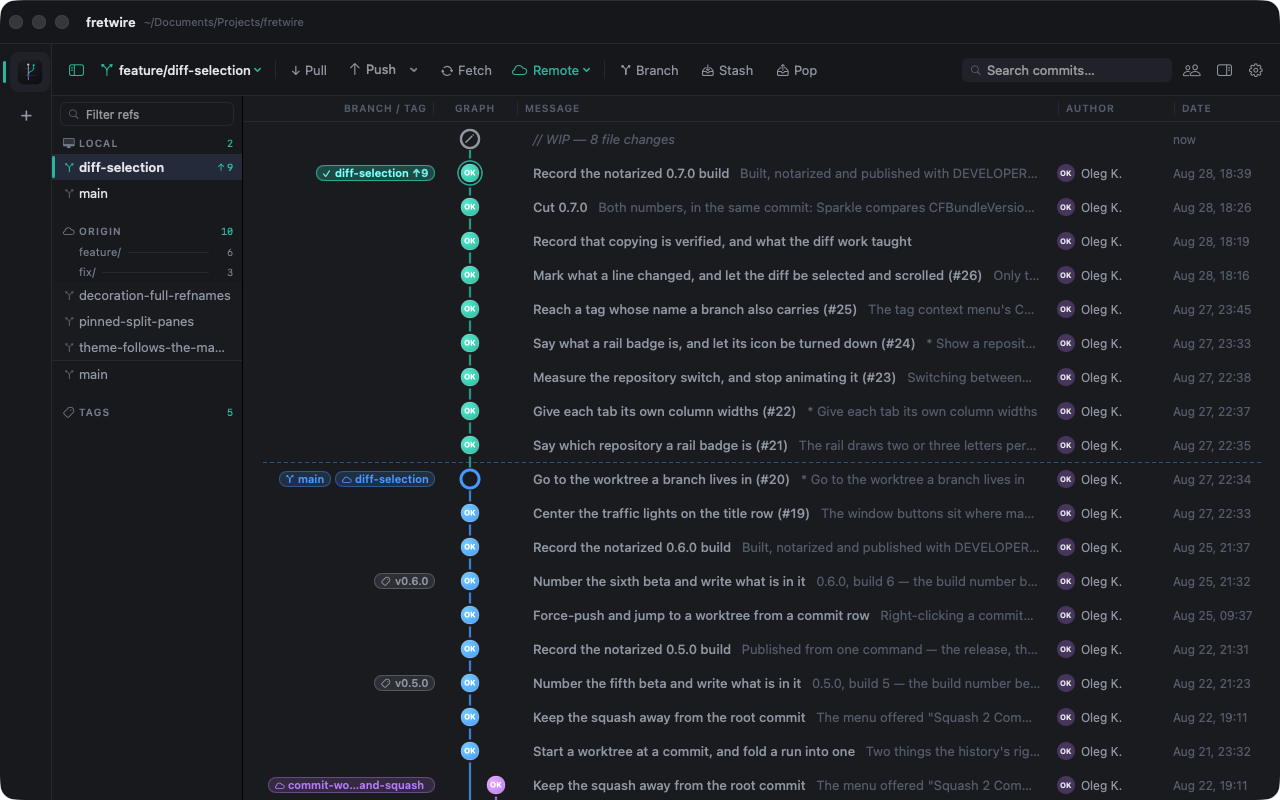
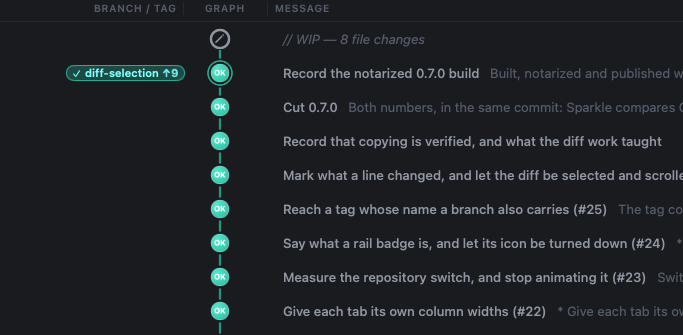
Swim lanes with ref badges, authors coloured per identity, and a marked boundary where your branch diverges from the default. When the tree is dirty, a working-tree row sits above HEAD — so “what changed” is always the first thing you see.
Pick a change apart in the diff and stage exactly the lines you mean. Amend, write the message, commit — without ever leaving the graph. Unstage the same way when you change your mind.
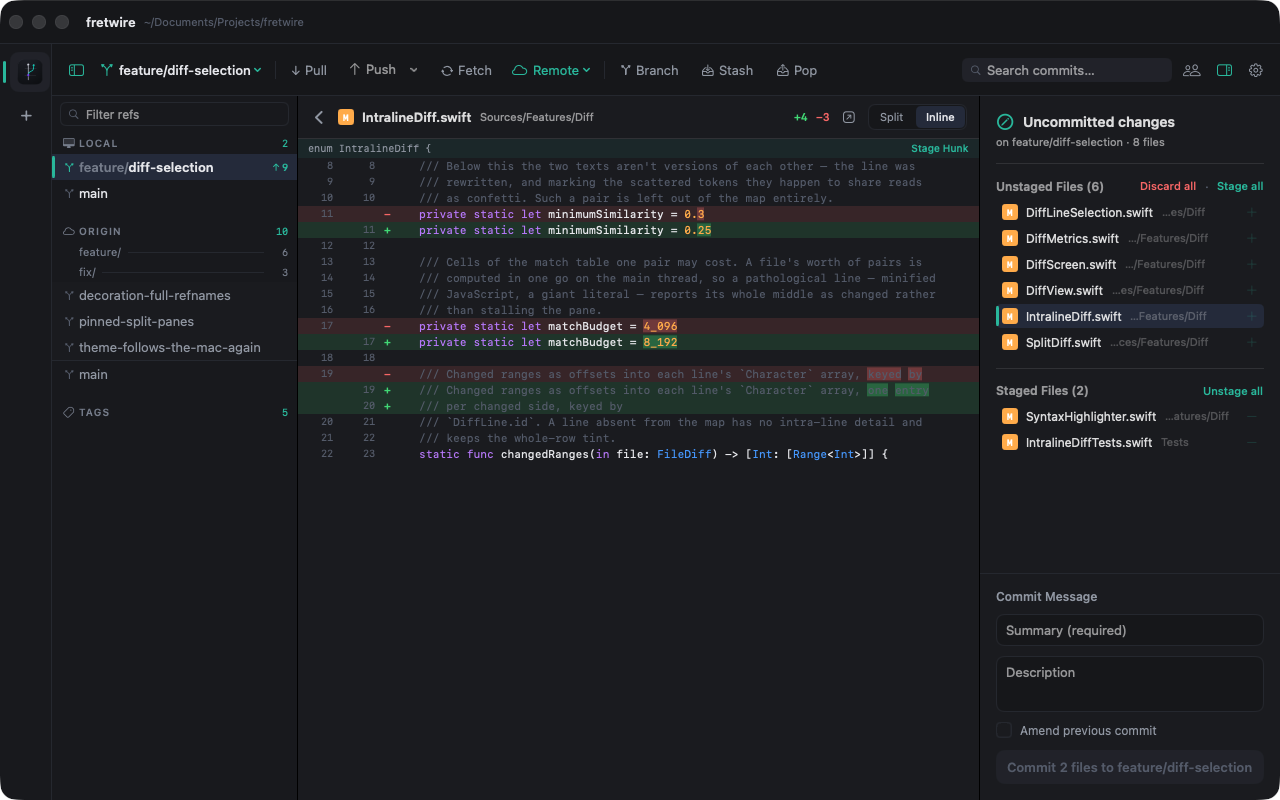
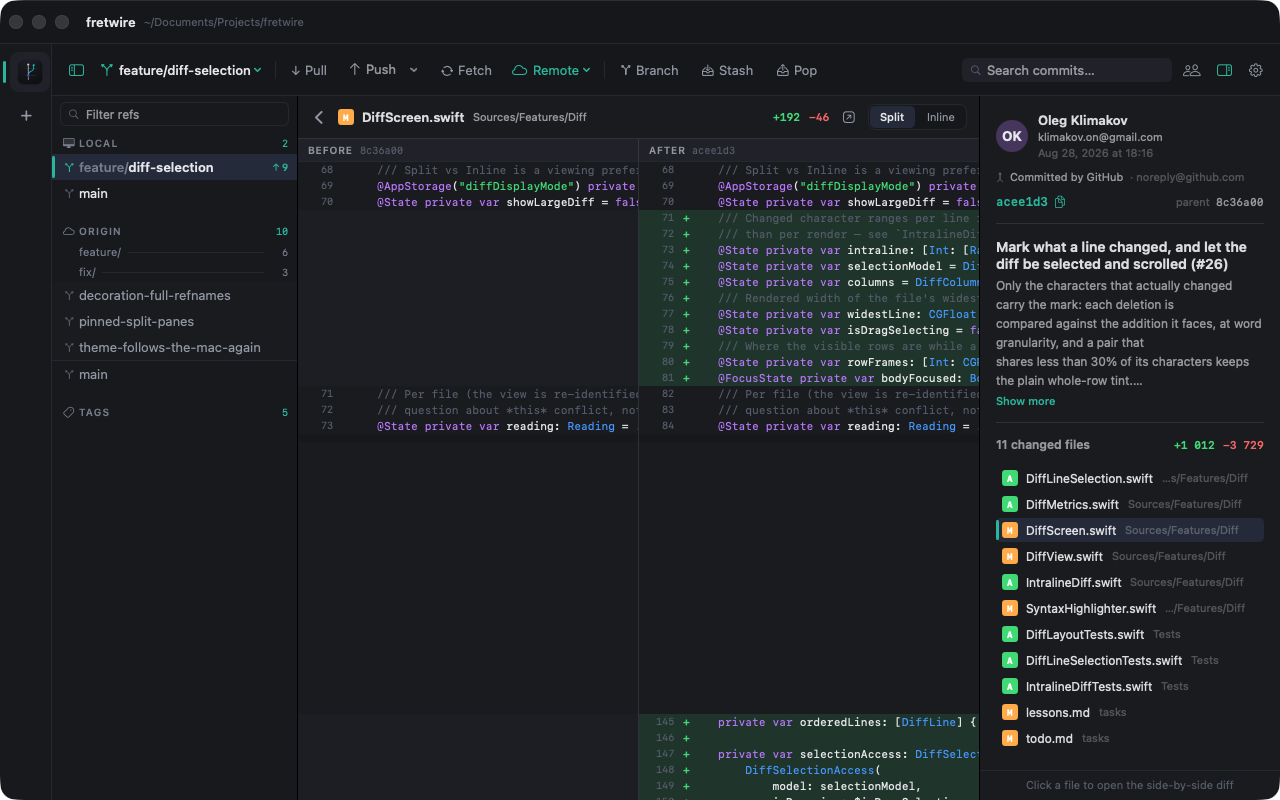
Side-by-side or unified, syntax-highlighted — a changed line marks just the characters that differ, and a genuine rewrite keeps the plain row tint instead of confetti. Select lines and copy them out as plain text, no +/−, no line numbers. Long lines scroll sideways instead of vanishing.
Interactive rebase without the editor dance: the whole run from a base to HEAD, reordered by drag, with pick / reword / squash / drop on every row. No editor window ever opens — and a plan that stops on a conflict stays put, soContinue still works.
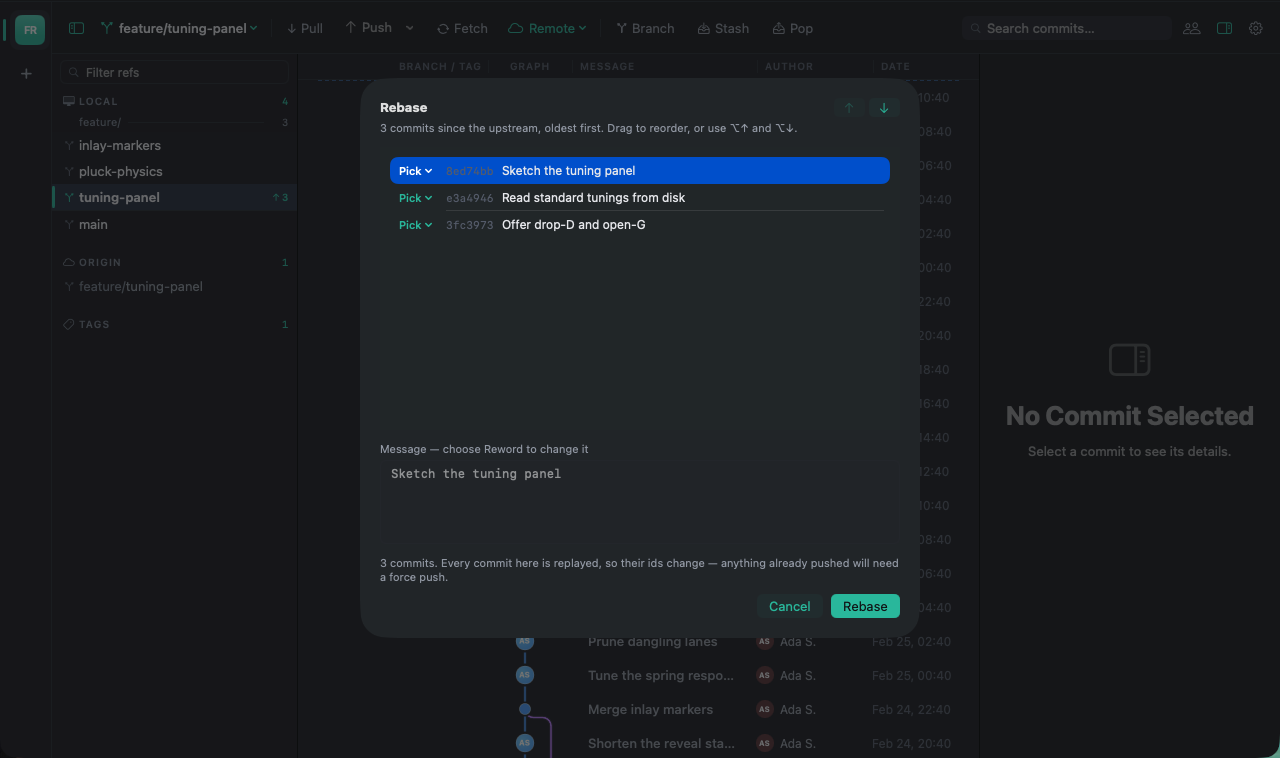
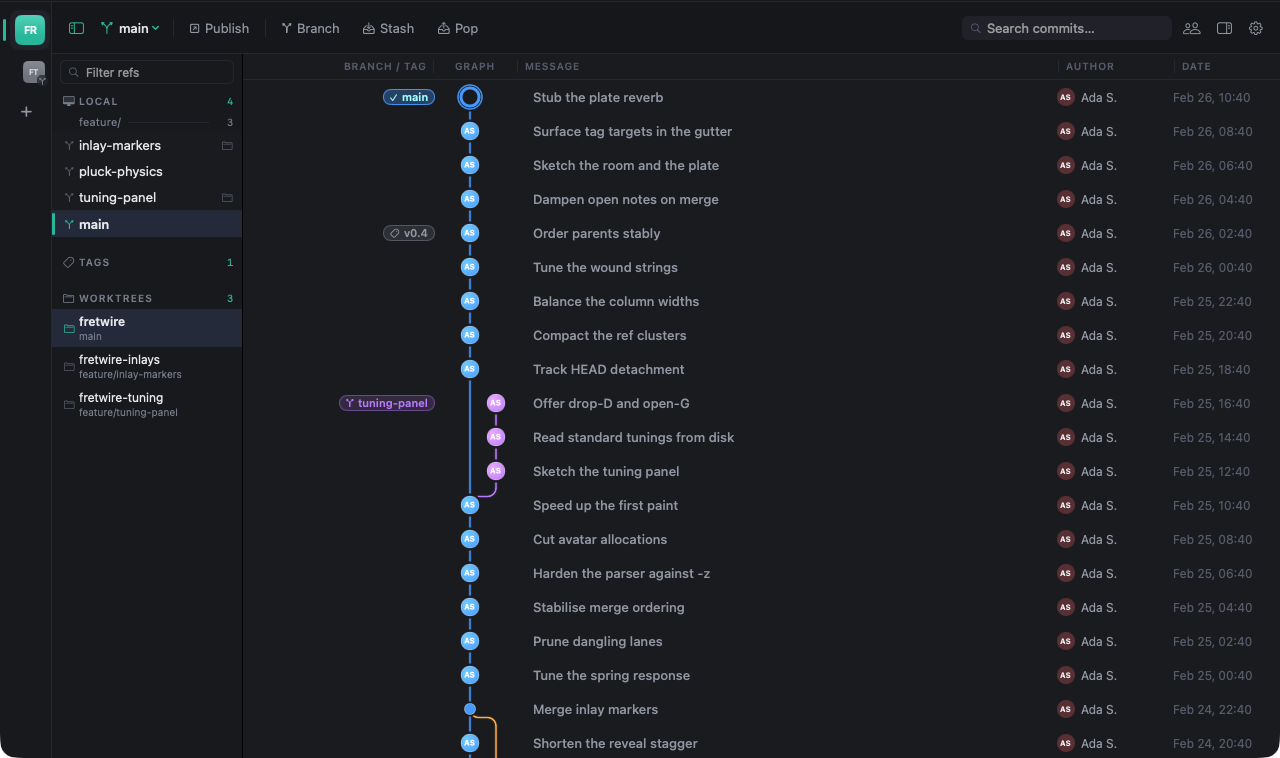
git worktree, first class: a sidebar section lists every worktree with its folder and its branch, and each opens as a tab nested under its project. A branch checked out somewhere else says where — with Open Worktree in place of the checkout git was always going to refuse. Start one at any commit.
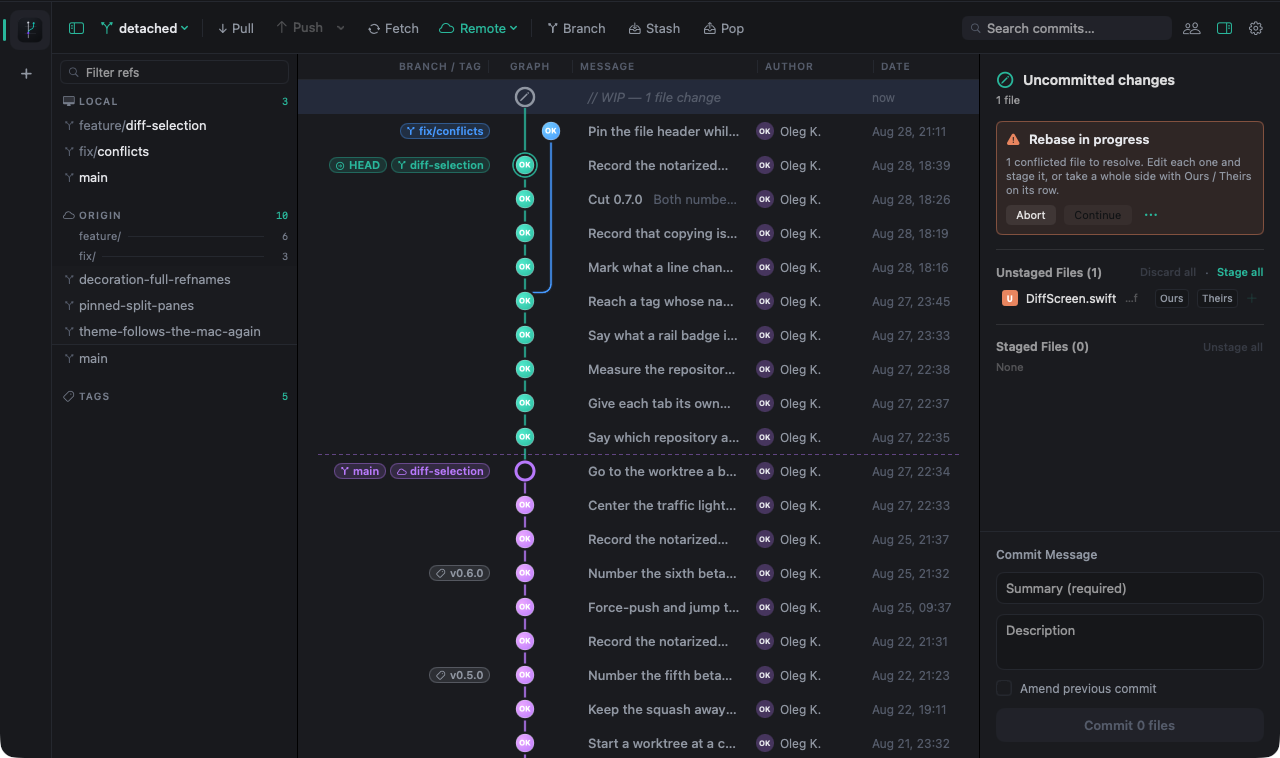
A halted merge, rebase, cherry-pick or revert is detected and shown for what it is — with Abort andContinue right there, and every conflicted file keeping its diff. Anything that moves a branch asks first.
An FSEvents watcher mirrors external gitcommands and editor saves into the graph — live, without ever blanking the view. Commit in the terminal and watch the row arrive here.
Reads and writes go through the git you already use. Every operation is a real invocation — identical to the one you would have typed.
No embedded engine to quietly disagree with your terminal. Fretwire runs the first git on your login shell’s PATH, so gh’s credential helper, gpg-signed commits andcore.sshCommand come along with it.
Host tokens reach git through a transientGIT_ASKPASS helper — never inargv, never written to.git/config, and only to the host your push URL actually resolves to.
Anything that moves a branch confirms first. Force push is only ever--force-with-lease, scoped to a single branch. Discards ask twice.
also in the case
mergecherry-pickrevertresettagsstashamendfetch / pull / push per remotessh remotespublish to GitHub & GitLabmultiple repositoriesyour own diff toollight & darkimage diffsPersonal
Free
always
Commercial
$50
per seat · from 1.0
Free for everyone while Fretwire is in beta. A seat is a person, on all of their Macs — and bug fixes, conflict handling and data-safety work are never behind the licence. Where the line between the two tiers falls is written down in thelicence agreement.
Open the graph instead.
brew install --cask olegklimakov/fretwire/fretwire
macOS 14 or later · pre-release 0.7